
A dental practice can have excellent clinicians, modern equipment, and strong patient demand, yet still struggle when the front office becomes overloaded. The problem is not necessarily a lack of effort. Reception teams often have to answer phones, respond to website enquiries, confirm appointments, manage cancellations, update patient information, coordinate schedules, and communicate with existing and prospective patients at the same time.
Hiring another employee may help, but recruitment takes time, training requires resources, and additional staff does not automatically eliminate repetitive processes. This is where dental workflow automation can make a difference.
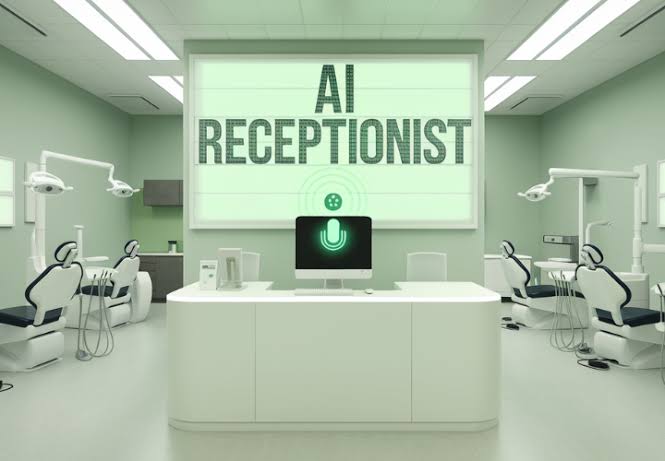
An AI Receptionist for Dentists can provide an always-available first point of contact for routine patient interactions. It can answer frequently asked questions, collect basic information, identify the reason for an enquiry, and direct patients toward the appropriate next step.
The objective is not to replace the dental team. Instead, AI can take care of predictable administrative work so employees can spend more time on patient-facing responsibilities and situations requiring judgment.
The 5 Front-Office Workflows AI Handles Automatically
Modern AI automation can connect several front-office activities instead of treating every task as a separate tool.
1. Incoming Calls and Patient Questions
An AI receptionist can handle routine enquiries when staff members are busy or unavailable. Patients may want information about office hours, services, appointment availability, preparation instructions, or general practice policies.
The AI can provide approved information and transfer conversations to staff when a request falls outside its defined workflow.
2. AI Appointment Scheduling
Appointment requests are one of the clearest opportunities for automation. AI Appointment Scheduling can allow patients to request or book suitable appointment times without waiting for a receptionist to become available.
The workflow can check scheduling rules, collect relevant information, confirm the appointment, and send follow-up notifications. If a request requires staff involvement, it can be escalated instead of forcing the patient through an unnecessary automated process.
3. Appointment Confirmations and Reminders
Once an appointment is booked, automation can continue working in the background. Reminder messages can be scheduled before appointments, while confirmation requests can help practices identify patients who need to reschedule.
This creates a connected workflow rather than requiring staff to remember each individual follow-up.
4. New Patient Intake
AI can collect preliminary information from new patients before their appointment. Depending on the practice’s workflow, this may include contact information, appointment preferences, basic service requirements, and other approved intake questions.
The collected information can then be routed to the appropriate system or staff member, reducing repetitive data entry.
5. Lead and Patient Follow-Up
Patients may enquire about a practice and fail to book immediately. Automated follow-up can help ensure these enquiries do not disappear simply because the front desk was busy.
AI can send appropriate follow-up communications according to predefined rules and notify staff when human intervention is needed.
Missed Calls: The Hidden Revenue Leak in Every Dental Practice
A ringing phone does not wait for a convenient moment.
A receptionist may already be helping a patient at the front desk, assisting a clinician, processing paperwork, or speaking with another caller. When another call arrives, someone may have to choose between interrupting the current task and letting the call go unanswered.
For a prospective patient, an unanswered call can create friction at exactly the wrong moment.
An AI Receptionist for Dentists can help address this gap by responding when the traditional front desk is unavailable. Instead of simply capturing a voicemail, an AI-powered workflow can identify the purpose of the call, answer approved questions, collect information, and guide the caller toward an appointment or human assistance.
This can also extend beyond regular office hours. A practice can establish rules for which enquiries AI handles automatically and which ones should be routed to staff.
The result is a more consistent patient communication process without requiring the front office to be available every minute of the day.
Patient Reminders and No-Show Reduction: Real Numbers
No-shows and late cancellations create scheduling problems because a reserved appointment slot can become unused with little warning.
Automation cannot guarantee that every patient will attend, but it can make the reminder process more consistent.
For example, a dental practice can create a workflow that sends a confirmation request several days before an appointment, follows up with a reminder closer to the appointment, and alerts the team when a patient indicates that they cannot attend.
Instead of relying on manual calls and individual staff memory, the workflow follows predefined timing rules.
Practices can also measure the results. Useful metrics include:
- Appointment confirmation rate
- Cancellation rate
- Rescheduling rate
- No-show rate
- Response time to appointment enquiries
- Number of appointments booked through automated workflows
These measurements help practices determine whether automation is actually improving operations rather than simply adding another technology layer.
New Patient Intake Automation: What It Looks Like
Imagine a prospective patient contacts a dental practice through the phone or website.
The AI identifies that the person is a new patient and asks the appropriate preliminary questions. It can collect the patient’s basic information, understand what type of appointment they are seeking, provide approved information about the practice, and move the patient toward scheduling.
If AI Appointment Scheduling is connected to the practice’s scheduling workflow, the patient can proceed to an available appointment based on the rules configured by the practice.
After booking, the workflow can trigger confirmation and reminder messages. Relevant information can also be passed into the appropriate business system.
This is where an AI Automation Agency can be valuable. Rather than installing an isolated chatbot or receptionist, the agency can map the complete workflow and determine how different systems should communicate.
The goal is a connected patient journey:
Enquiry → Qualification → Scheduling → Confirmation → Intake → Reminder → Staff Escalation
Each stage can have defined rules, reducing the amount of repetitive work handled manually.
How to Implement Dental AI in 2 Weeks Without Disrupting Your Team
A successful automation project does not need to begin with every possible workflow.
Start with one process that creates a measurable administrative burden. For many dental practices, this could be missed calls, appointment scheduling, or new patient enquiries.
Week 1: Map and Design
The first stage is understanding how the practice currently handles calls, appointments, reminders, intake, and escalation. The workflow should identify which decisions AI can safely handle and which situations require a staff member.
The practice can then define approved responses, scheduling rules, escalation conditions, and system integrations.
Week 2: Build, Test, and Launch
The second stage focuses on configuring the automation, connecting relevant systems, testing common scenarios, and reviewing edge cases.
Staff should know exactly when AI handles an interaction and when it passes the conversation to them. A controlled rollout can help the team become comfortable with the system without changing every front-office process at once.
An experienced AI Automation Agency can continue monitoring the workflow after launch, reviewing performance data and refining the system as the practice’s needs evolve.
Building a More Responsive Dental Practice
Dental AI is not simply about adding a virtual receptionist to a website or answering more phone calls. The larger opportunity is connecting repetitive front-office processes into a single intelligent workflow.
An AI Receptionist for Dentists, combined with AI Appointment Scheduling, automated reminders, patient intake, and follow-up workflows, can help practices create a more consistent administrative experience while allowing employees to focus on work that requires human interaction.
For practices dealing with growing enquiry volumes and repetitive administrative tasks, the practical starting point is simple: identify the workflow consuming the most staff time, measure its current performance, and determine which steps can be automated safely. From there, dental AI can be introduced gradually, tested against real workflows, and expanded as the practice sees measurable value.